
 Available · Windows
ClipHive
A configurable clipboard manager for power users.
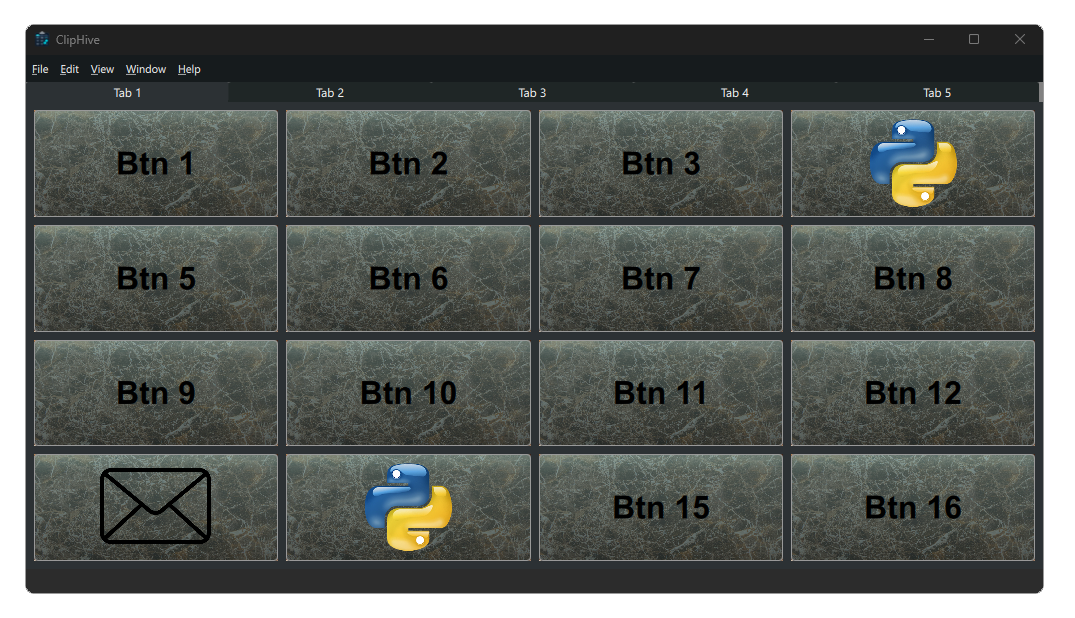
Store text, images, and program shortcuts in a configurable grid of slot buttons — anywhere from 1×1 up to 30×30 — across as many tabs as you need. Then paste or launch with a single click.
Key features
Six things ClipHive does well.
Three paste modes
Copy-to-clipboard for traditional workflows, left-click auto-paste for speed, or direct-paste via a global Win32 mouse hook for the most aggressive workflow possible.
Edge docking
Snap the window to any screen edge like a taskbar strip. Stays out of the way until you need it, never floats in front of your real work.
Layout profiles
Each named layout has its own SQLite database under
Saves/.
Switch profiles instantly. Backup is a single file copy.
Full theme editor
Tweak colors, fonts, transparency, gradients, and skins with live preview. Make ClipHive look like it belongs on your desktop, not on someone else's.
Program-shortcut slots
Drop an .exe,
.lnk, or
.bat
into a slot and it becomes a launcher button — automatically using
the program's own shell icon.
Built to last
Native C++17 with Qt 6 / QML and SQLite. No background service, no auto-updater hijacking your system, no telemetry phoning home about how you use the app.
- Platform
- Windows
- Built with
- Qt 6 / QML
- Language
- C++17
- Compiler
- MSVC
- Storage
- SQLite
- License
- Per-machine
Pricing
One-time purchase. Bundle discounts when you grab two or three BitCanvas apps together. Coming soon.
Notify me when it launches →